

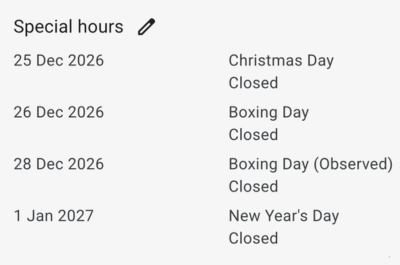
A quick guide to getting your Christmas opening hours right on Google.
Customers start searching for "open on Christmas Eve" from mid-November, and Google answers with whatever hours a business has listed. For many, that means the normal weekly hours, even on days they are closed.
Will Beavis, founder of Sharpstones Media, a Shropshire consultancy that manages Google Ads, Microsoft Ads and Google Business Profiles, says the fix takes a few minutes and can be done weeks in advance.
"Google has a feature called special hours, which lets you set different opening times for specific dates," said Will. "Your normal hours stay as they are, and the changes only apply on the days you choose, then switch back by themselves. It's easy to set up and forget."
To add special hours:
1. Sign in to your Google Business Profile and choose Edit profile
2. Open Business information, then Hours
3. Under Special hours, select Add and pick the date
4. Mark the day as closed or enter the hours you will be open
5. Repeat for each date and save
Dates worth checking this year include Christmas Eve (Thursday 24 December), Christmas Day (Friday 25 December), the Boxing Day bank holiday on Monday 28 December, and New Year's Day (Friday 1 January).
Special hours on Google do not carry over to other places a business is listed. "Facebook, your website and any directories are separate, so check them too," said Will.Sharpstones Media also offers a free check of a business's Google profile at https://sharpstonesmedia.co.uk/google-business-profile-management/





Latest News